All the Ways Your Local Business Can Appear in Google Search Results - Paid Edition
On this page
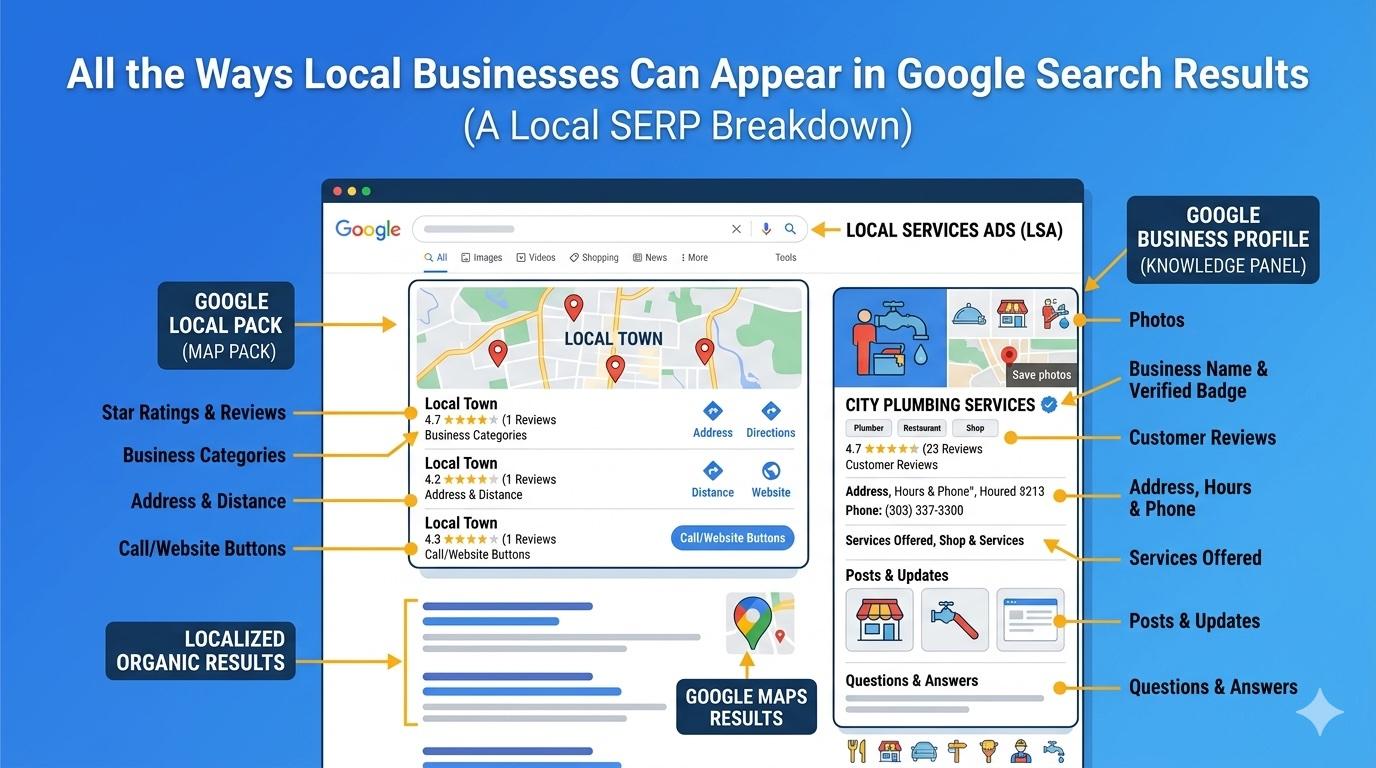
Once you have determined the best keywords to target for your local business, it is time to turn your attention to the various places where your business can show up when people search those terms. In this post, we will cover the places your business can show up, how to get shown there, and what the associated costs are. We will also look at examples for a few types of local businesses to see how search results differ by industry.
Oh the Places (Your Business) Will Go (on Google)
In any somewhat competitive market, and for most types of businesses, the first type of result you are likely to see is sponsored results. Sponsored results show for businesses that have chosen to run a search campaign in Google Ads.
These ads can be broken down into three main types:
- Search Ads
- Local Service Ads
- Sponsored Local Pack Listings
Search Ads
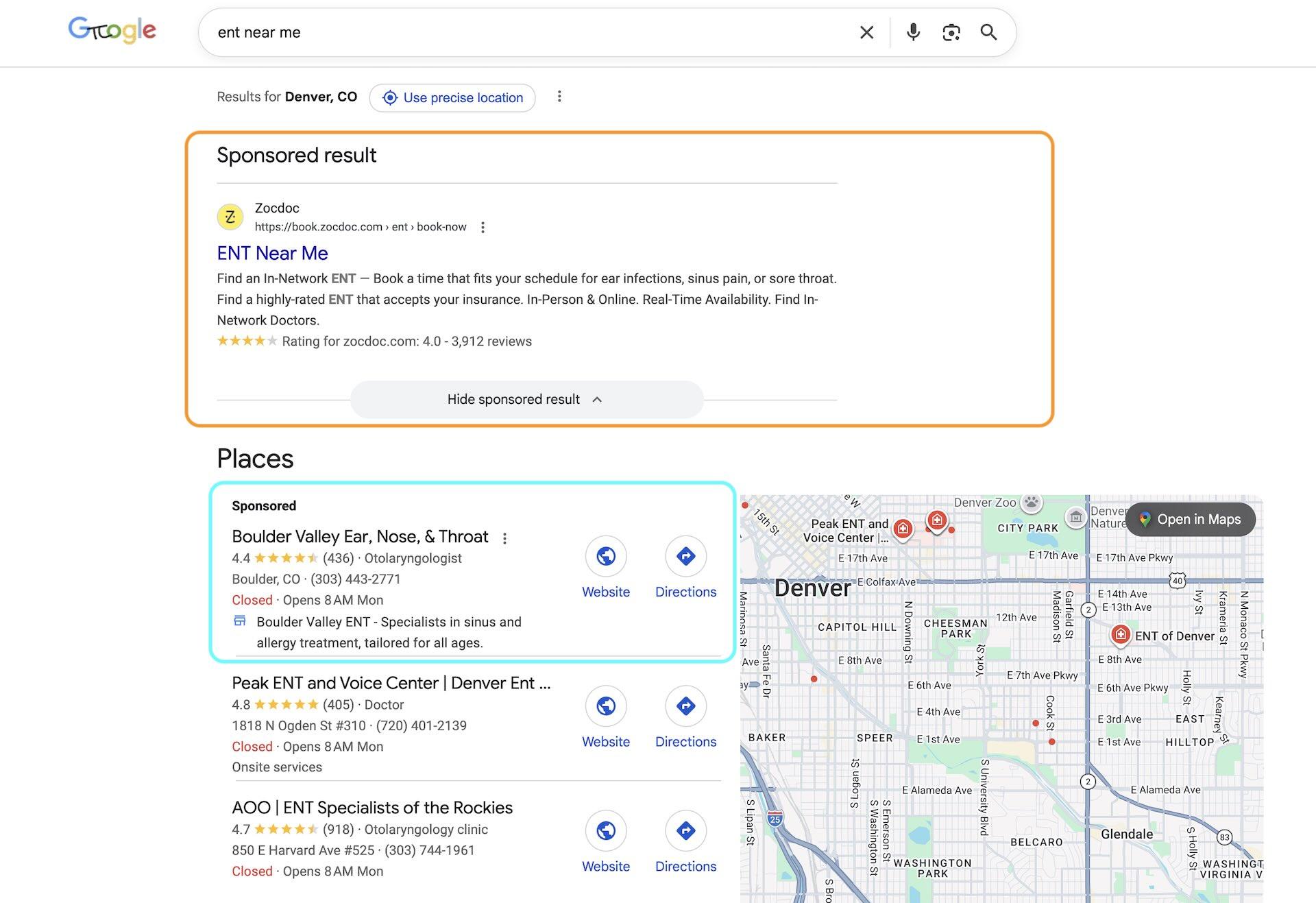
Google has increasingly changed the appearance of search ads to the point where they now look almost identical to organic results. Above the sponsored search ads, Google labels the section as "Sponsored results" to indicate they are advertisements. For competitive searches, there will often be up to three search ads at the top of the page, which gives users three options right off the bat before they have even seen the number one organic result.
Businesses running these ads pay each time a click occurs on their ads, and the cost of the click can vary greatly based on how competitive the landscape is.
Customizing Search Ads
Search ads offer more control and customization vs. their organic counterparts. Options include keyword insertion, which allows the exact search term used to be placed in the ad headline, star ratings for reviews, sitelinks, call buttons, and more. While some of these features exist in organic search results, the level of control is greater with ads.
Local Service Ads
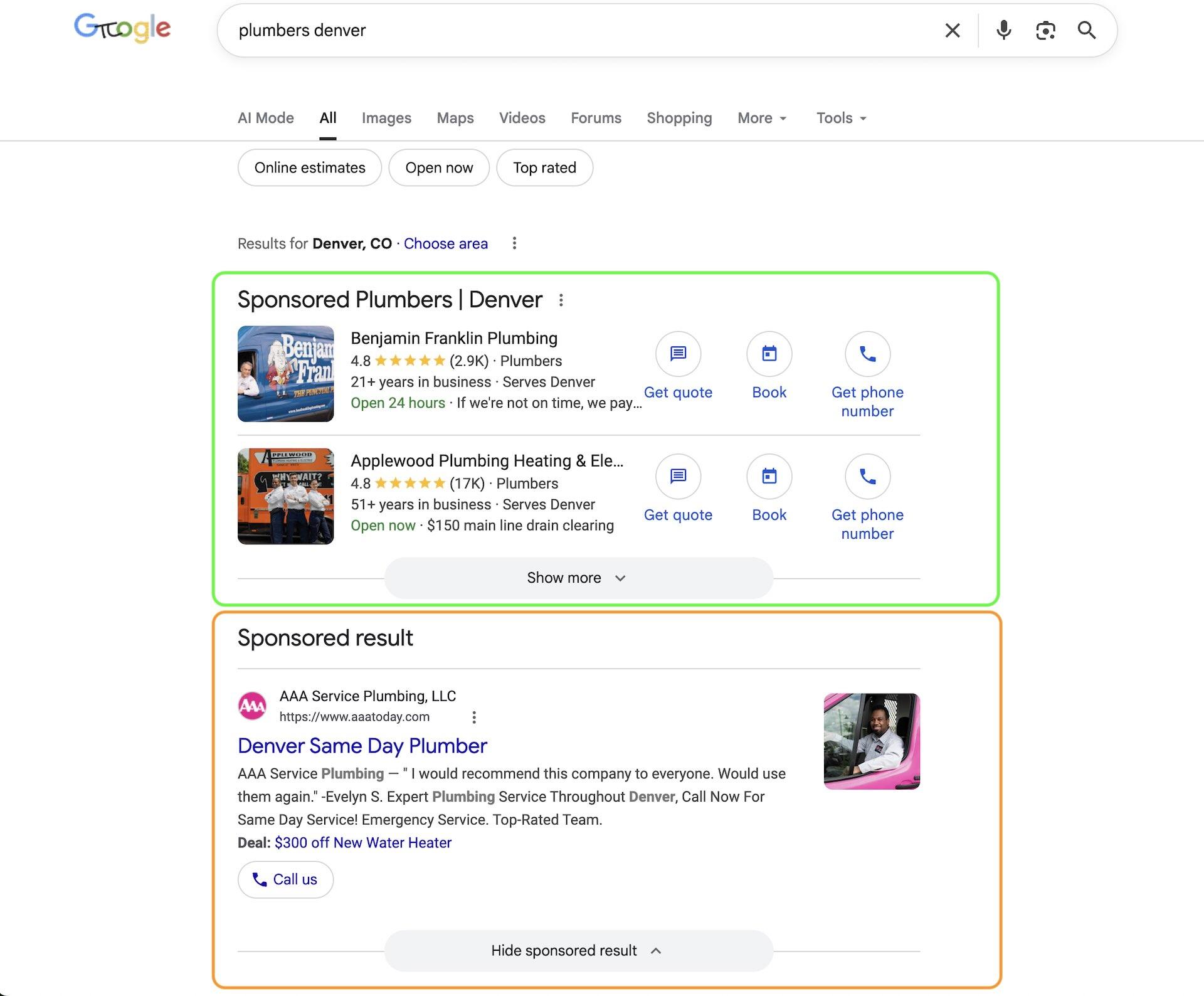
Local Service Ads (LSAs) originally launched in 2015 as "Google Home Services." LSAs display limited information about your business, like the name, review rating, and contact options such as "Get a Quote," "Book," "Message," and "Get Phone Number." They will sometimes include a blue check mark to indicate the business has been verified by Google. Previously this was a green check mark indicating "Google Guaranteed."
Here are a few key differences that distinguish them from search ads:
You pay per lead instead of pay per click
Unlike regular search ads, LSAs have a payment model where you only pay if someone actually contacts you. Google includes a tracking phone number to know when someone calls from the ad, and there is also a form option directly from the Google search page. Since you are not paying per click, expect to pay several times more each time you receive a lead.
You can dispute bad leads
This is one of the most important things to keep an eye on when running Local Service Ads. If a lead comes through that was not relevant to the services you provide or was spam, you are able to dispute it and get your money back. This adds a maintenance element if you want to ensure you are getting the best ROI possible. Anecdotally, I have heard from a few business owners that these ads were not worth it for them because of the amount of time needed to dispute bad leads.
They are limited by industry and location
Many businesses are not eligible to run Local Service Ads. It depends on the location and business category. To check, go to Google's Local Service Ads signup flow and start the process of pretending you are going to sign up. You will find out if your business can run LSAs before you have to fully commit.
Sponsored Local Pack Listings
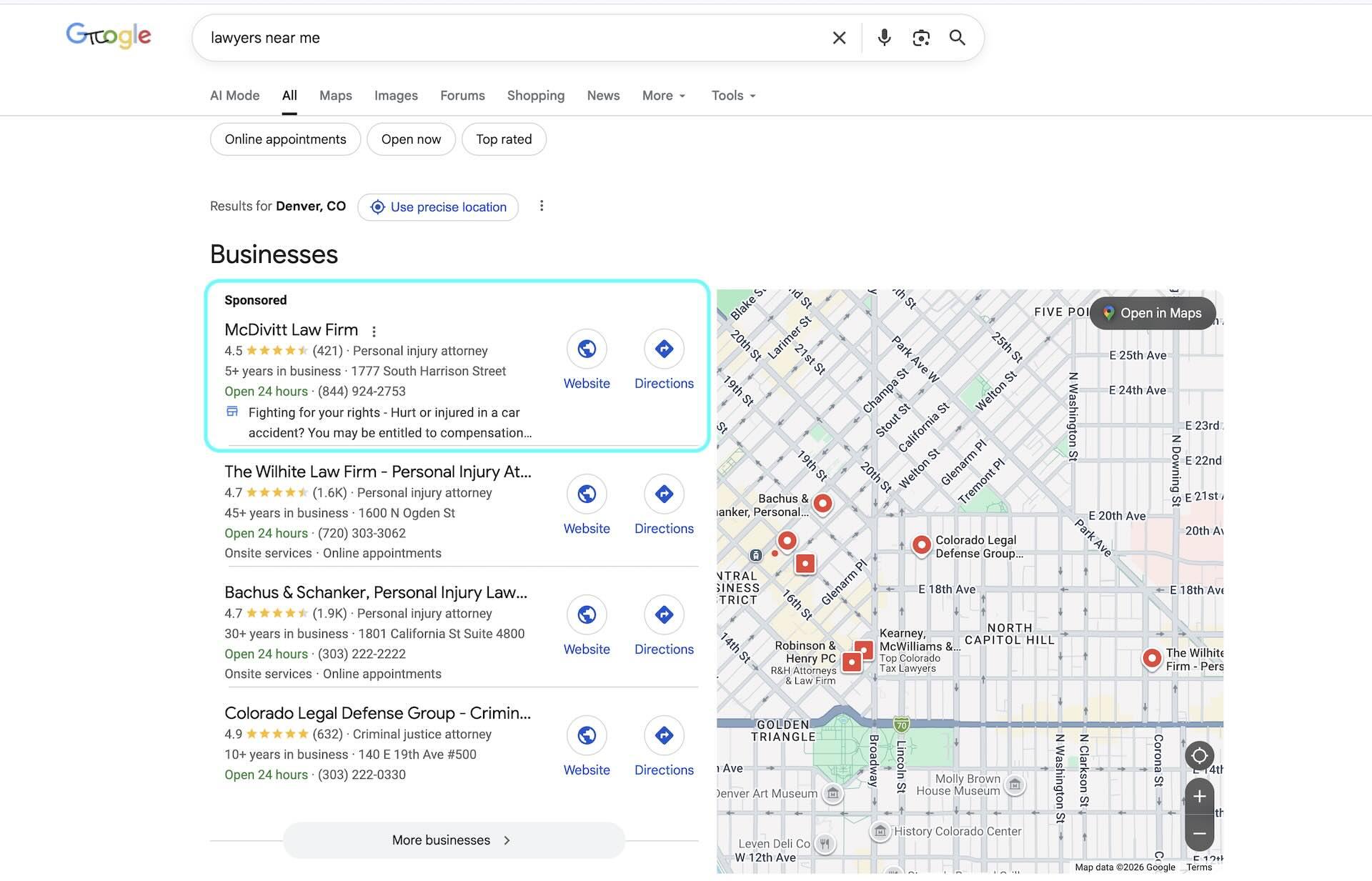
The third placement we are going to highlight in this post is sponsored local pack listings. Local packs, or "map packs," are commonly found in Google's results whenever there is an indication that the search has local intent. Unlike search ads and LSAs, sponsored local pack placements show information from your Google Business Profile (GBP) and are placed above or below organic local pack placements.
These placements work best for businesses that have already put effort into optimizing their GBP and have a good review rating, since those things will get pulled into the ad when it shows. While the majority of the elements showing in sponsored local pack ads match their organic counterparts, they do get a subtle headline snippet that gives you the chance to entice the searcher to engage.
Setting Them Up
The setup on local pack ads is a little different than the other two we have discussed so far. In order to run them, you will need to have an existing ad campaign set up and enable Local Assets at either the campaign level or the account level. While the ads appear differently in search results, they share the same setup as search ads when it comes to choosing which keywords you want to run ads on, the geography you want them to run in, and the ad copy you want to use.
How They Are Charged
Local pack ads are also a form of pay per click (PPC), and you will get charged anytime your ad is interacted with. Interactions can include clicks to the website, clicks to get directions, click-to-call actions on mobile, and clicks on the listing to expand the business details. Google will also place a tracking number in the listing so they know if someone dialed your business after reading it off the screen.
A Few More Industry Examples
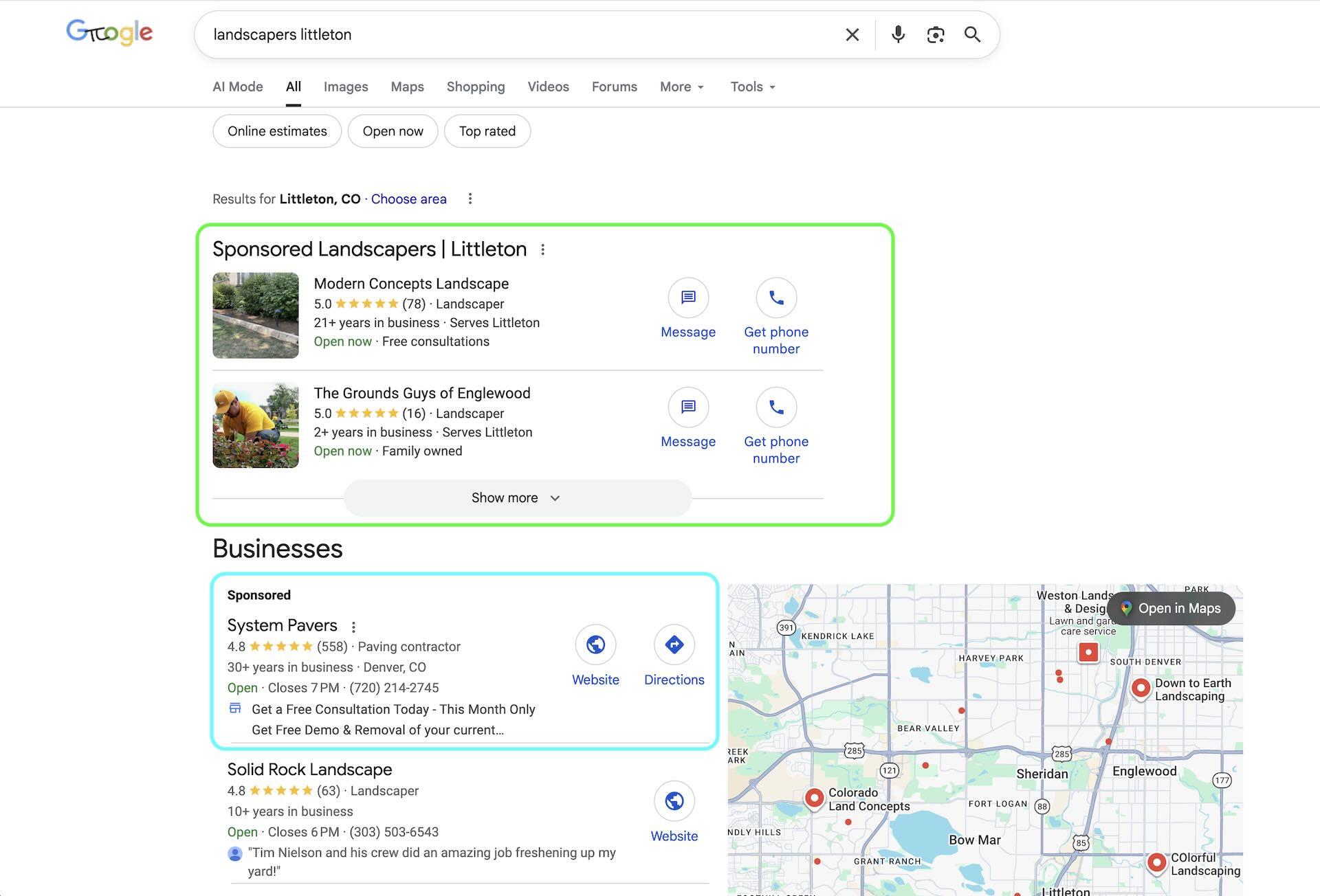
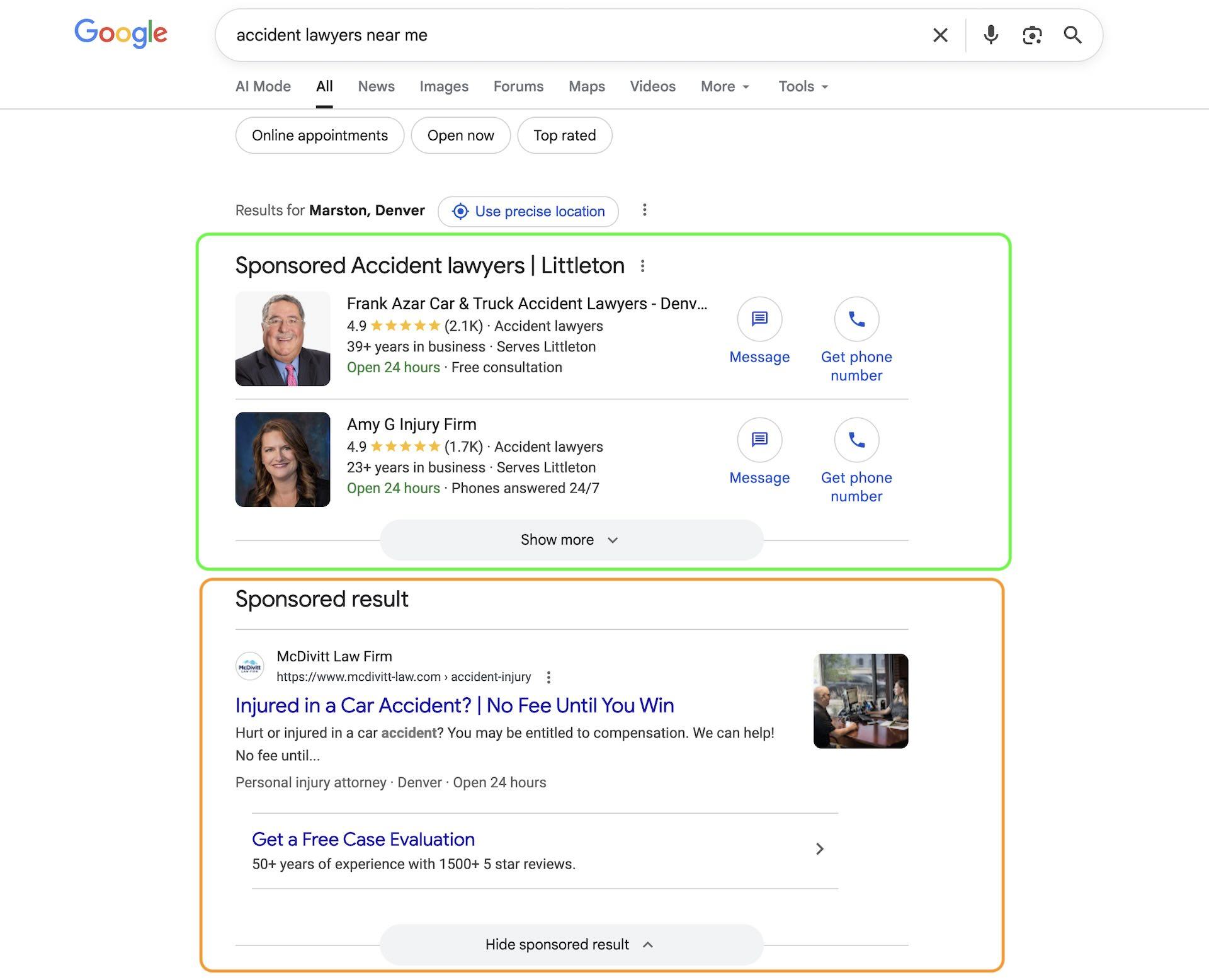
The mix of placements changes a lot by category. Highly competitive service industries often show LSAs and search ads together, while other local-intent queries lean more heavily on map pack placements.
Ready to plan your next growth move?
Get a focused plan for SEO, ads, and web updates that move the needle this quarter.